clipmedia

One recording in. A week of posts out.

Your 2-hour podcast → 12 shorts before lunch.

Drop in a long video. Clipmedia cuts the best moments into captioned shorts, a tidy YouTube edit and the posts to go with them, on your own computer.Drop in a long video. Clipmedia cuts it into captioned shorts and posts, on your own phone or computer.

  • Your videos stay on your computerYour videos stay on your device
  • AI costs shown before you spend
  • Mac, Windows, Android

A full editor. On your computer and your phone.

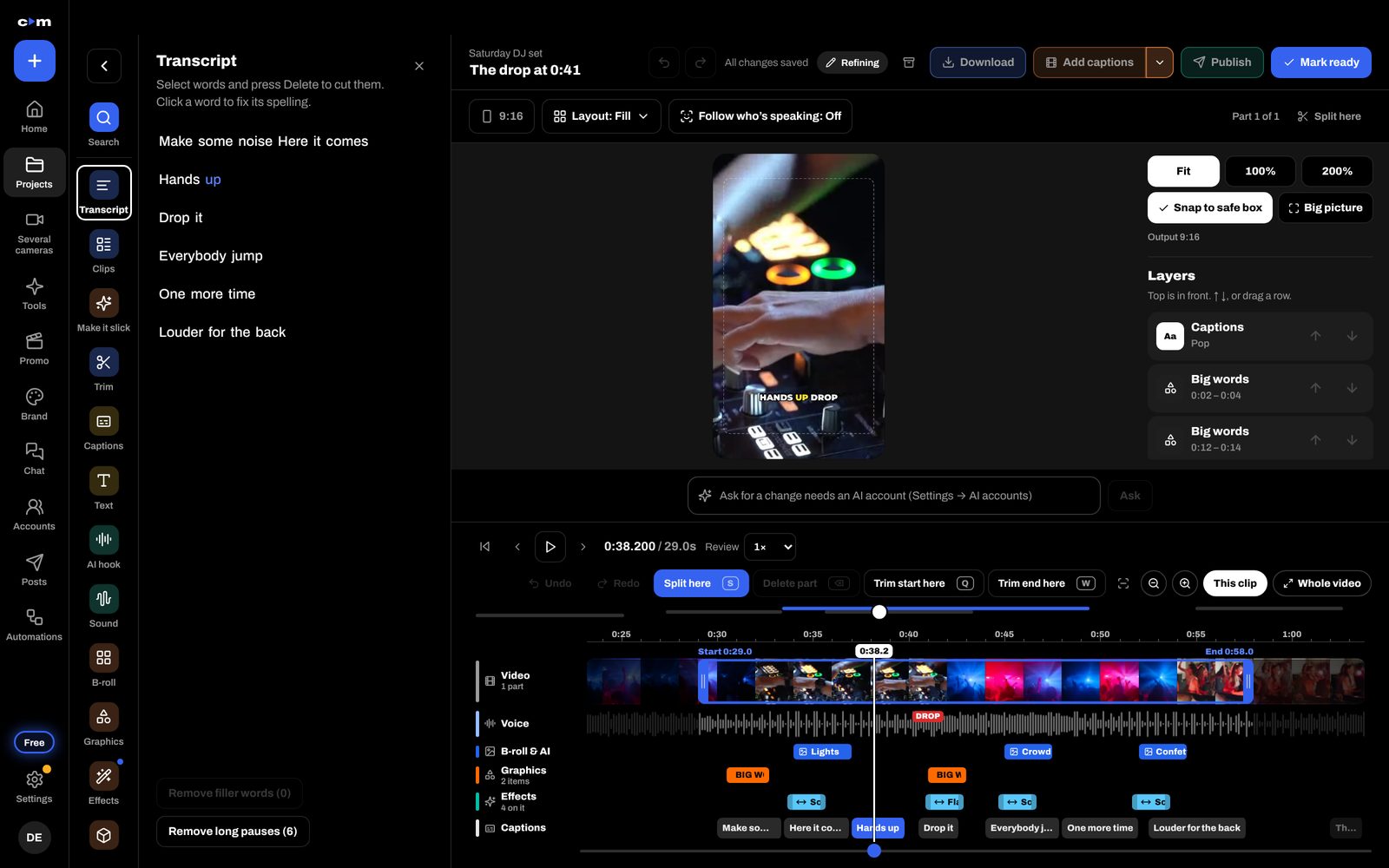
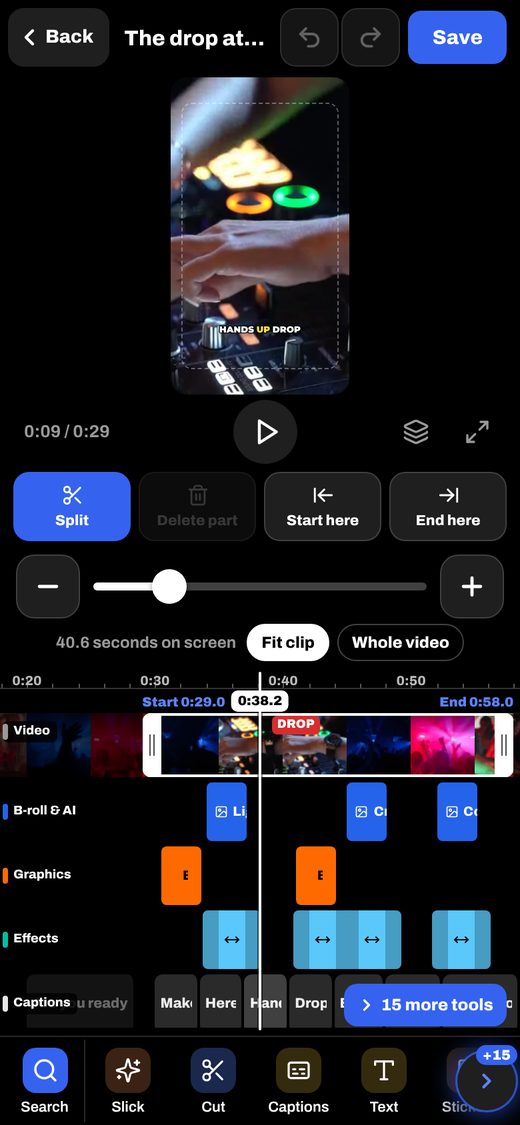
Every clip opens in a real editor: a timeline, captions, B-roll, graphics, effects and more. Tap a tool to see it.

Clips Every moment it found in the video, scored. Pick one and refine it.

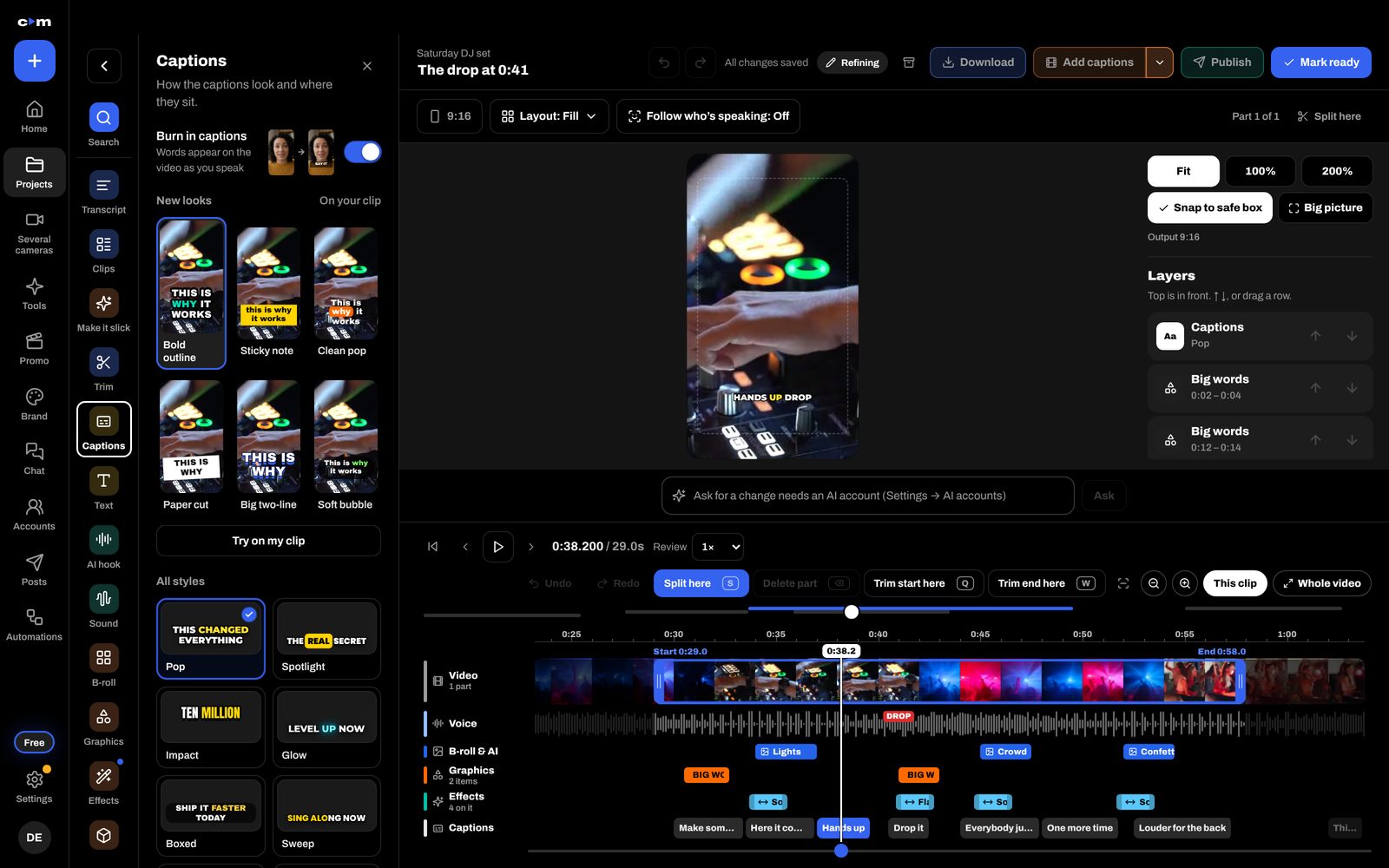
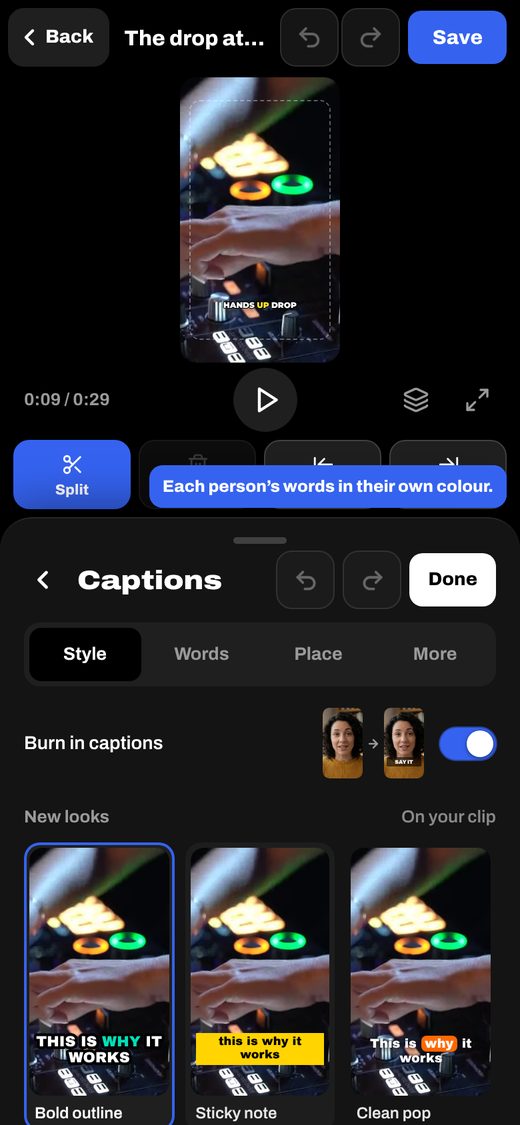
Captions Word-by-word captions in dozens of looks, placed where you want them.

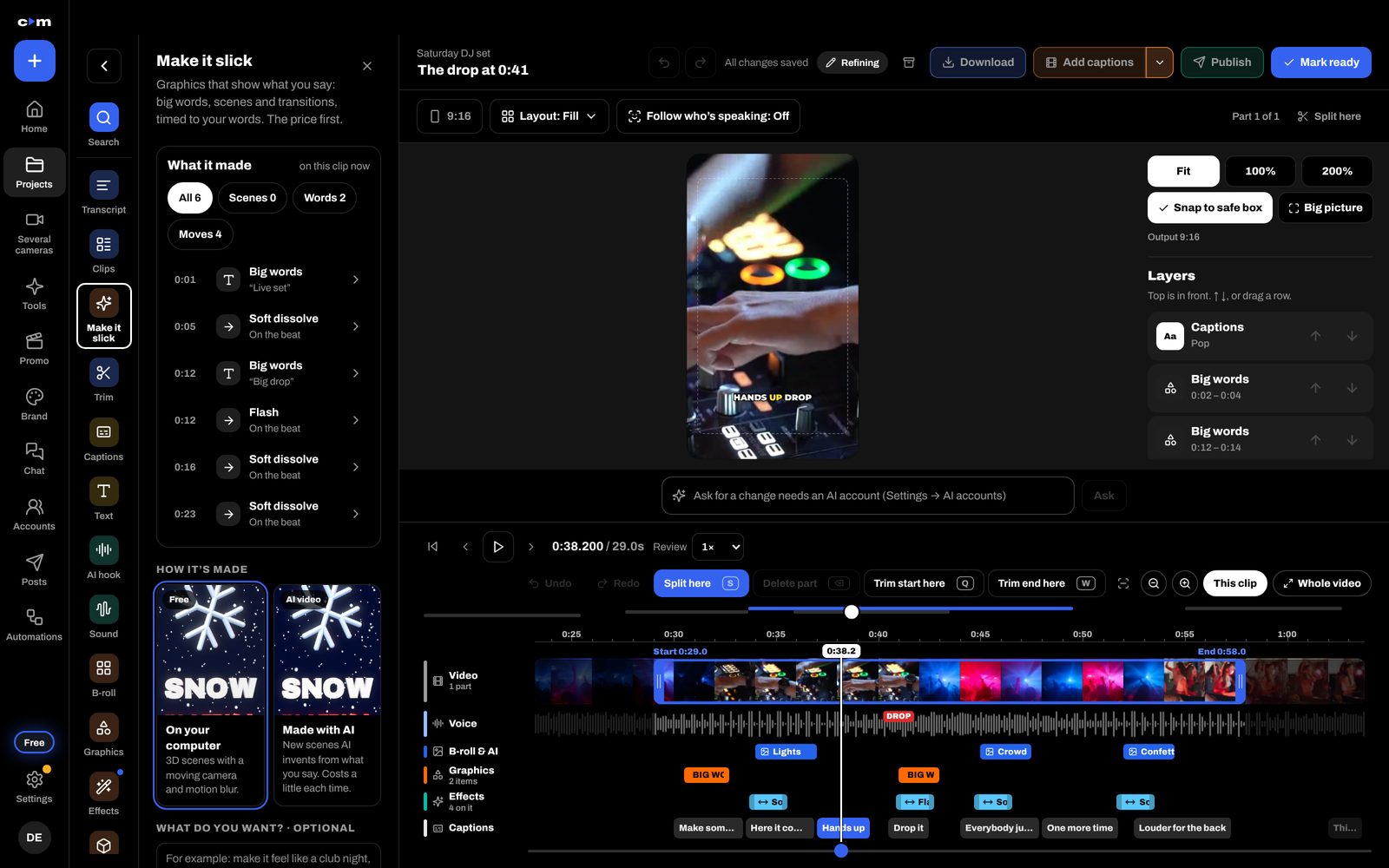
Make it slick Big words, scenes and moves, timed to what you say. The price shows first.

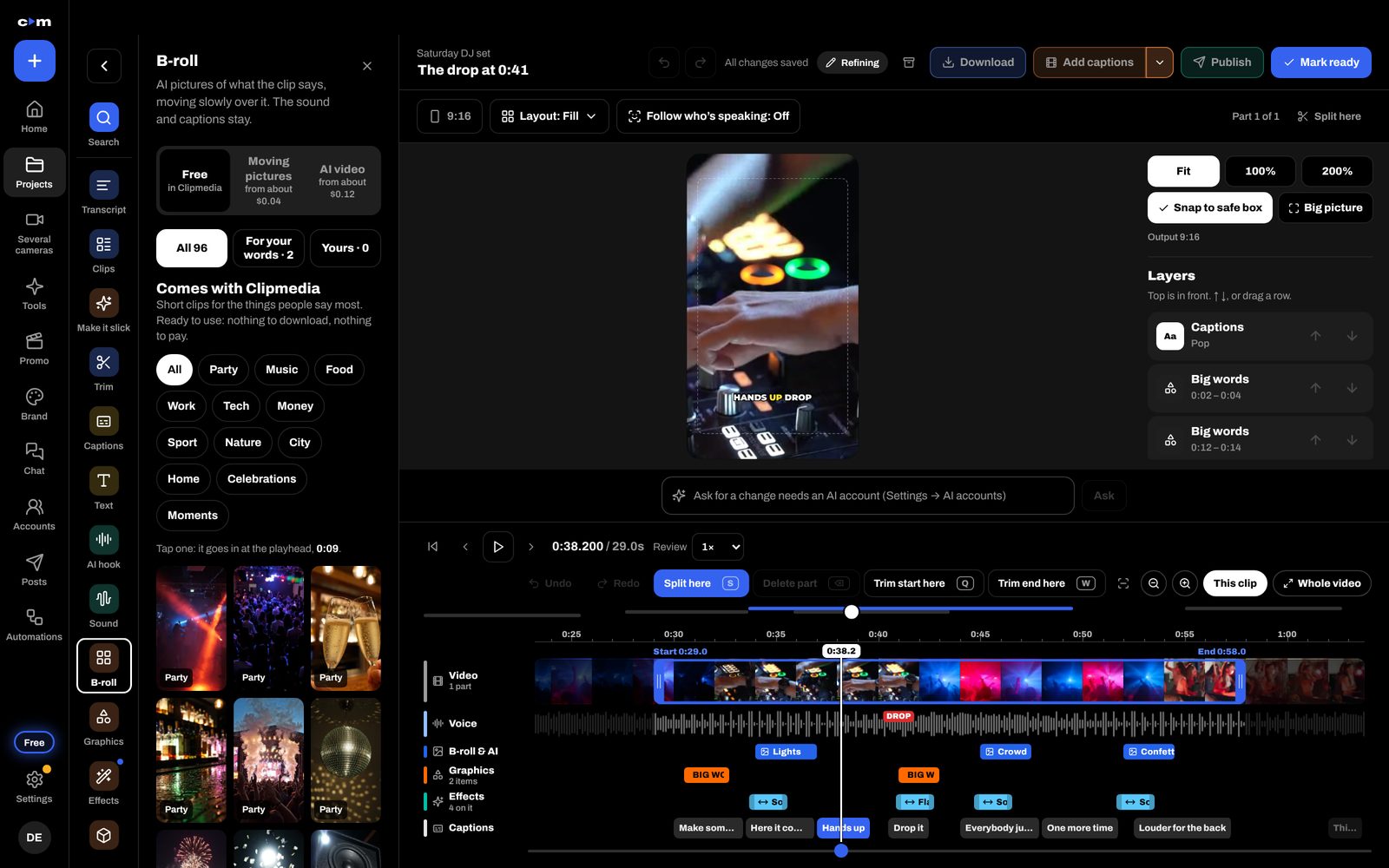
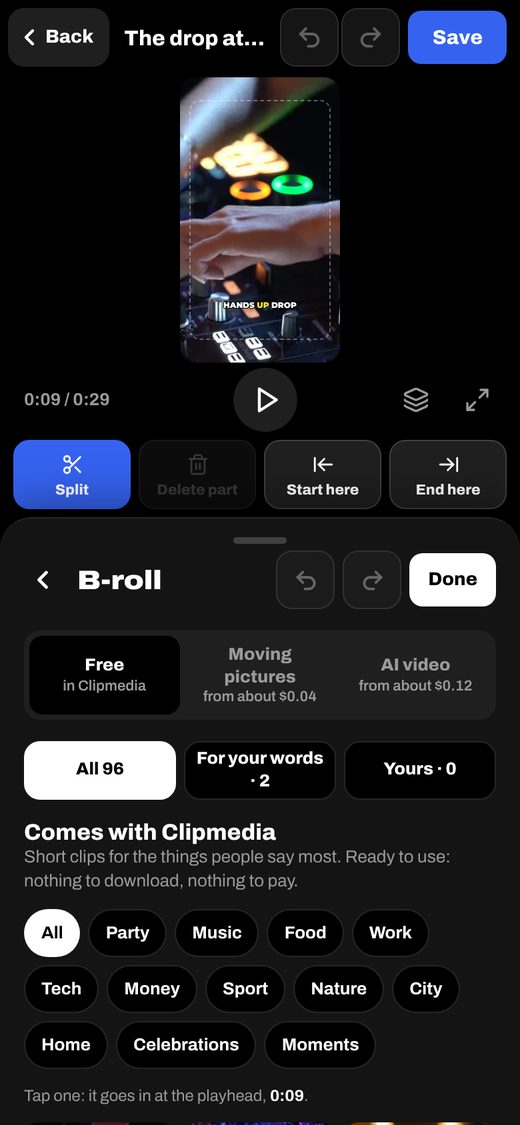
B-roll Pictures over the clip. 96 free clips come with Clipmedia, or use your own.

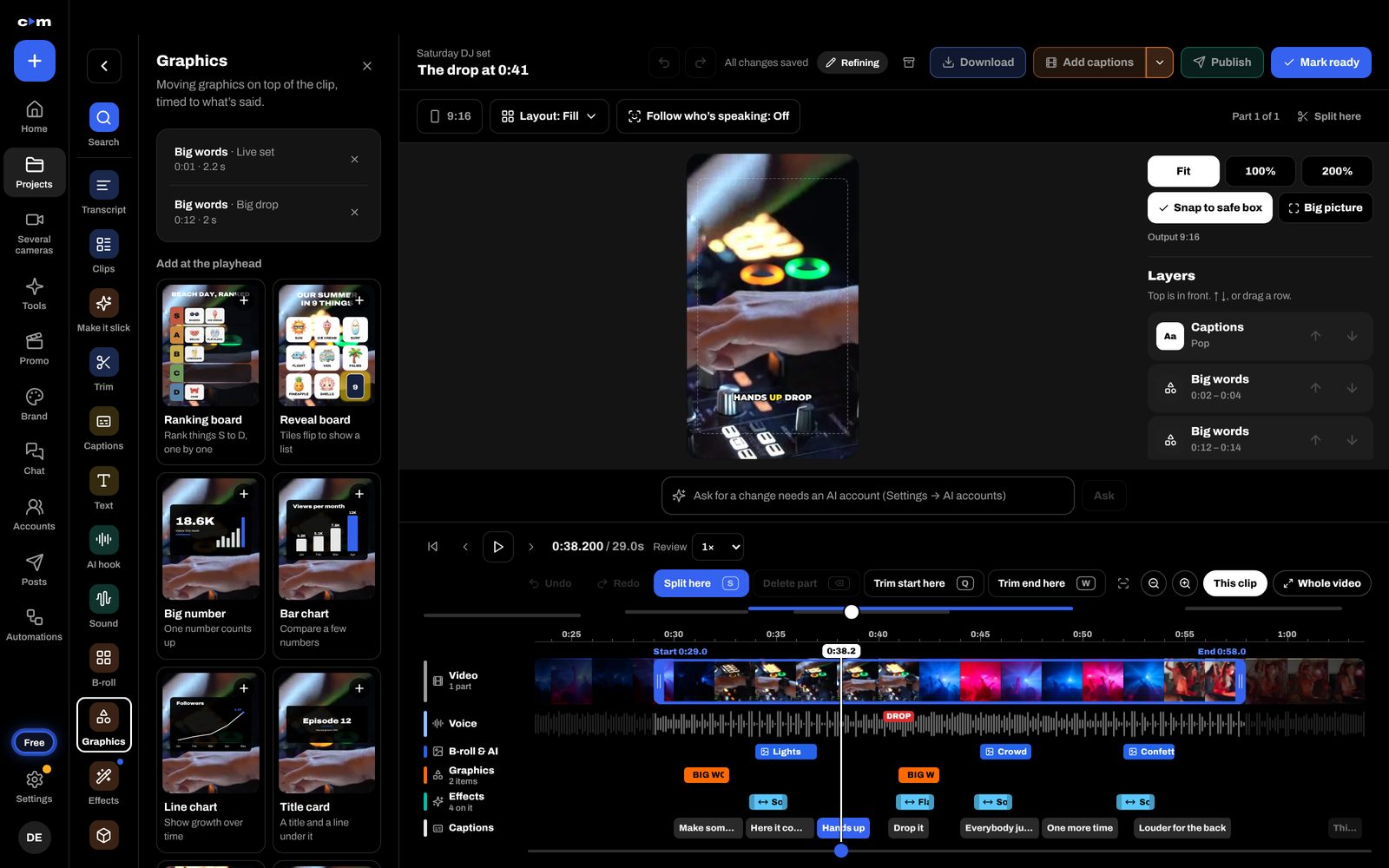
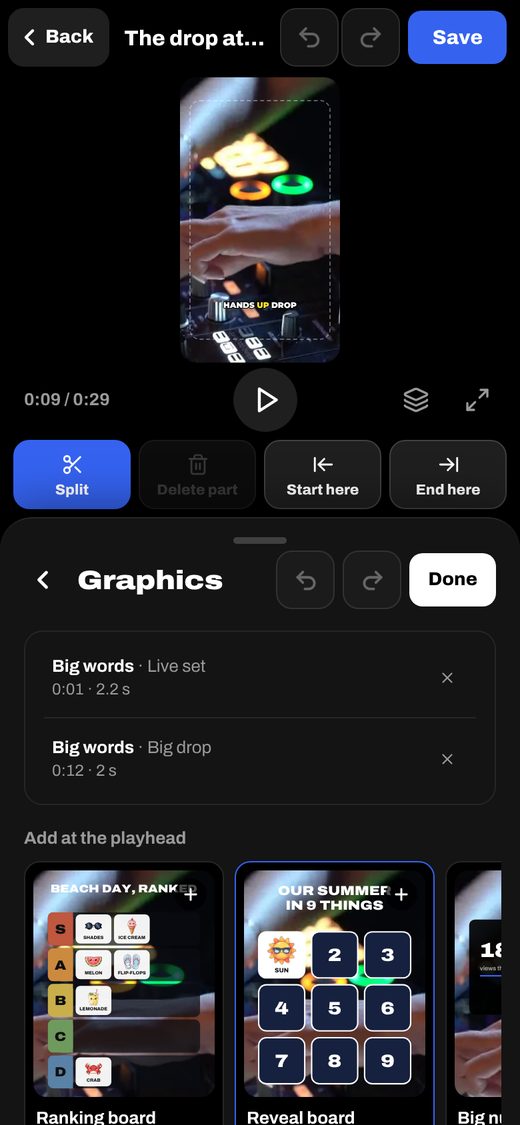
Graphics Moving graphics timed to the words: big words, ranking boards, charts.

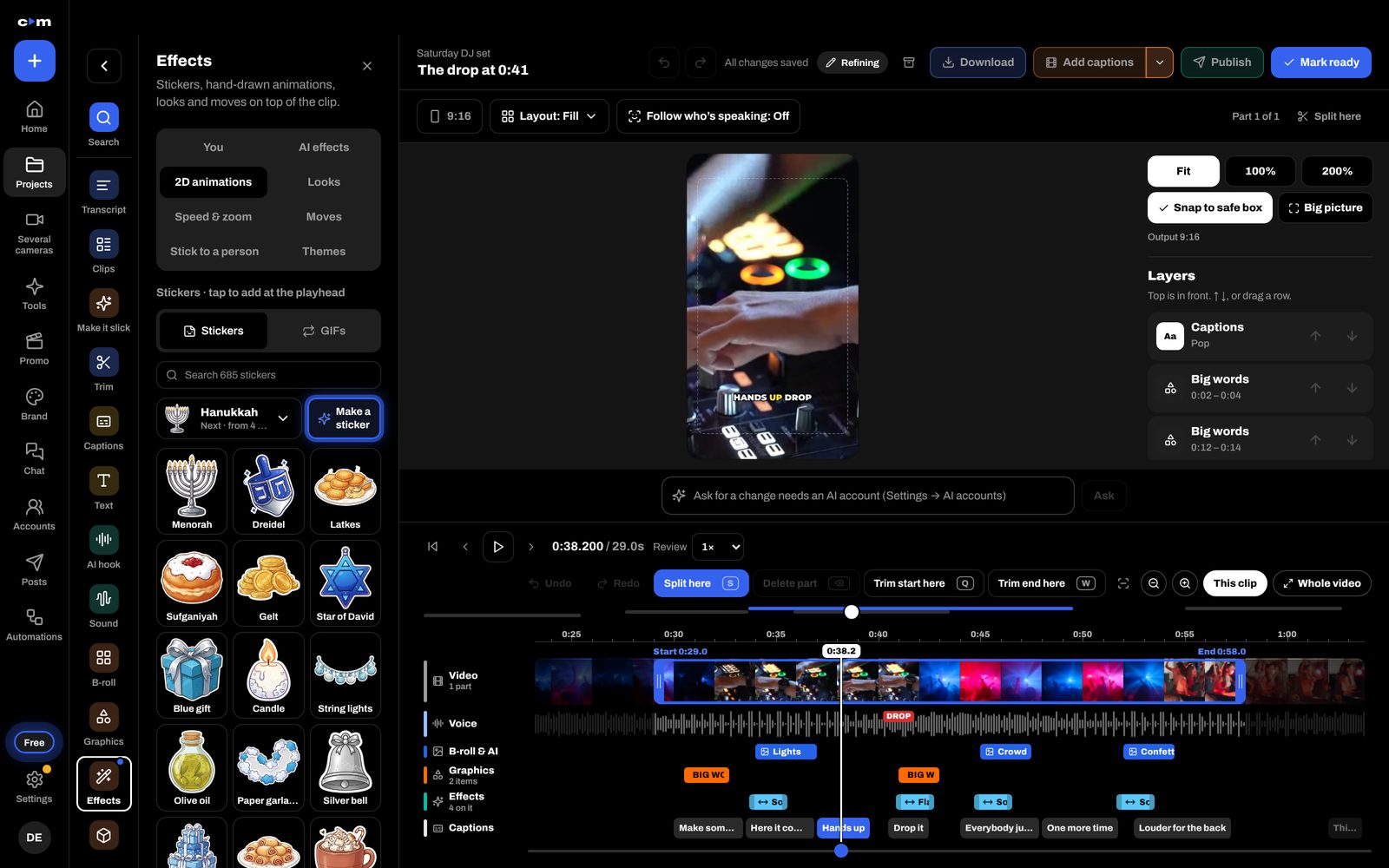
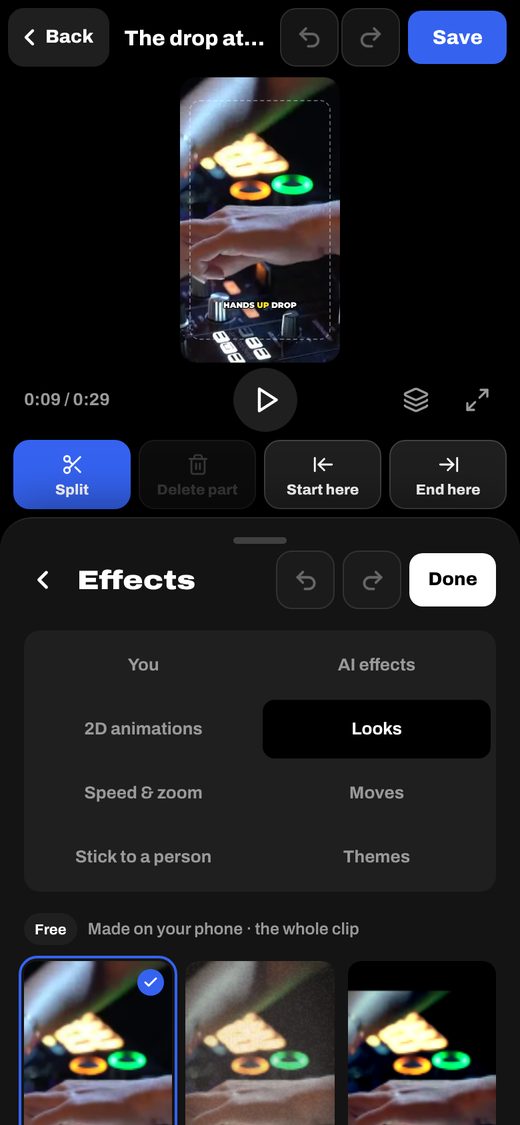
Effects 685 stickers, hand-drawn animations, looks and moves.

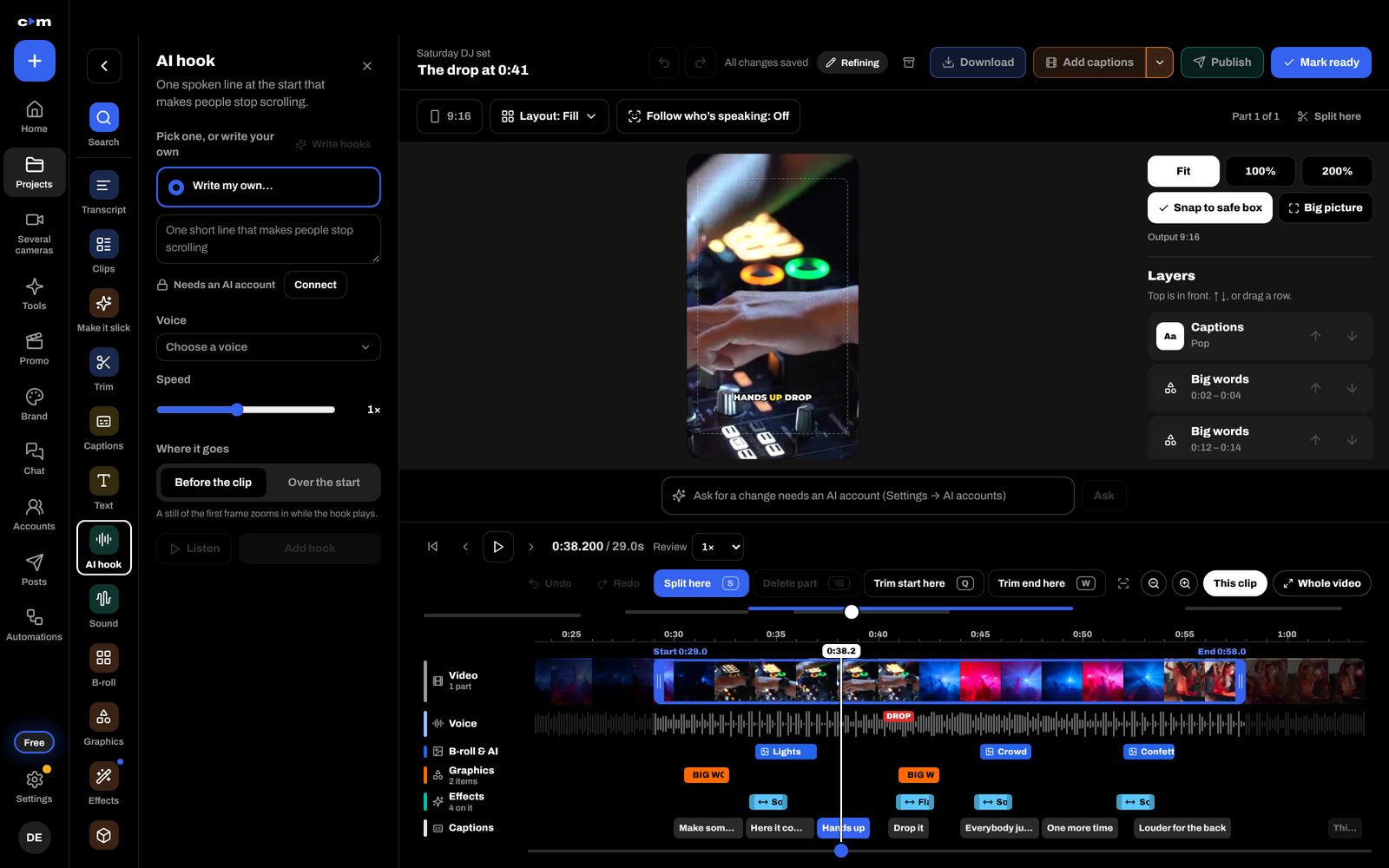
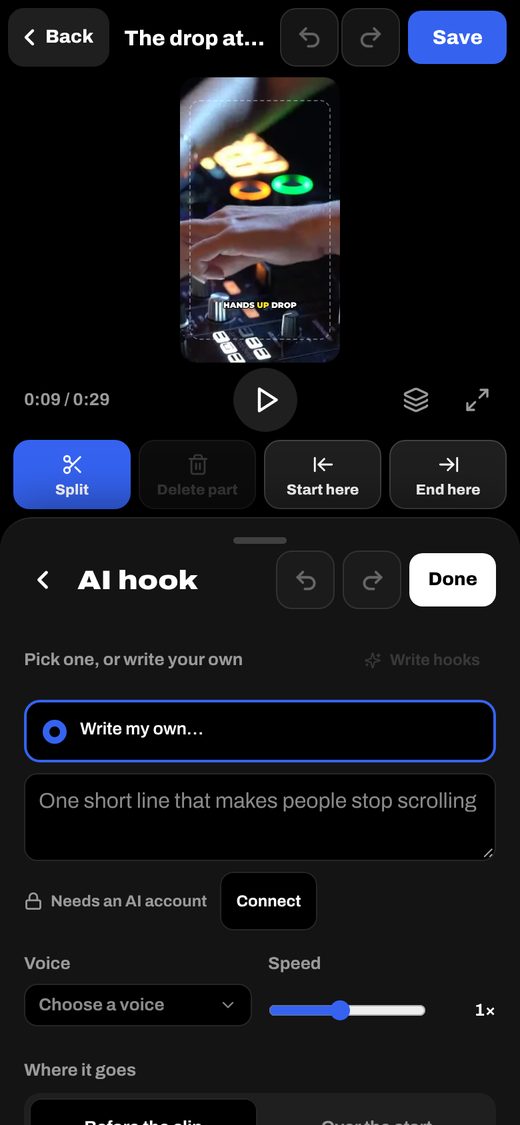
AI hook One spoken line at the start that stops the scroll.

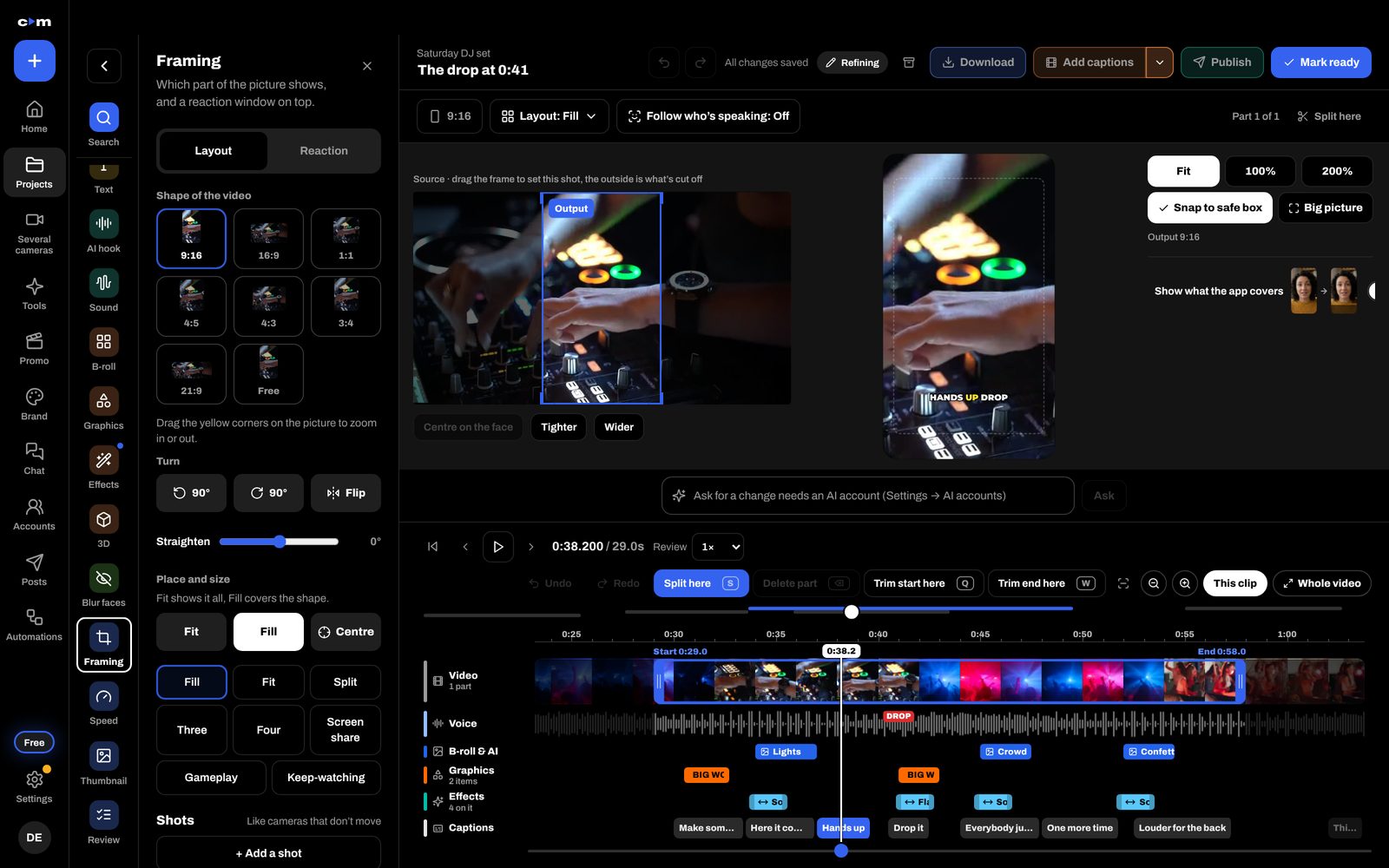
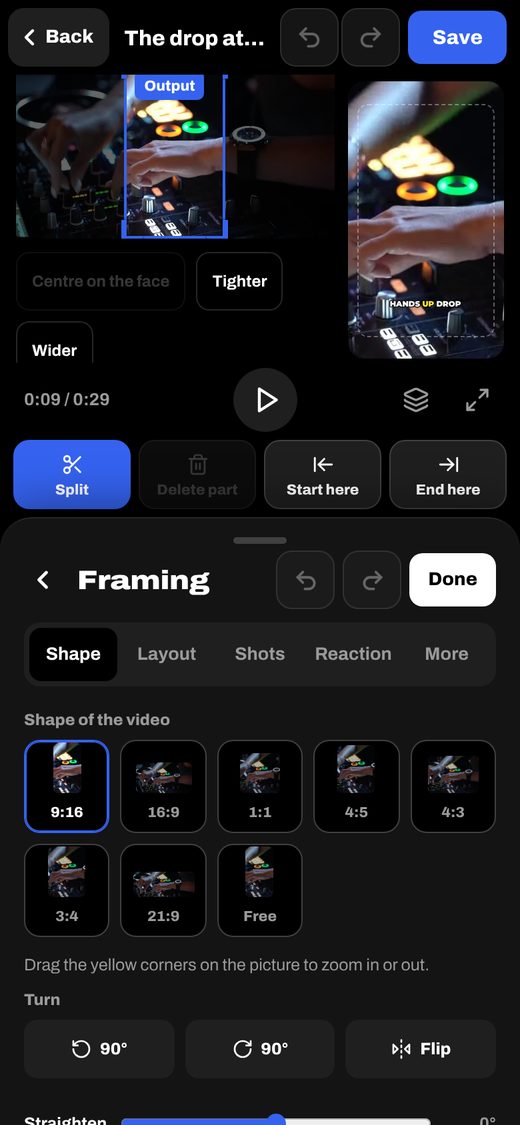
Framing Pick the shape (9:16, 1:1, 16:9, 4:5 and more) and what stays in the picture.

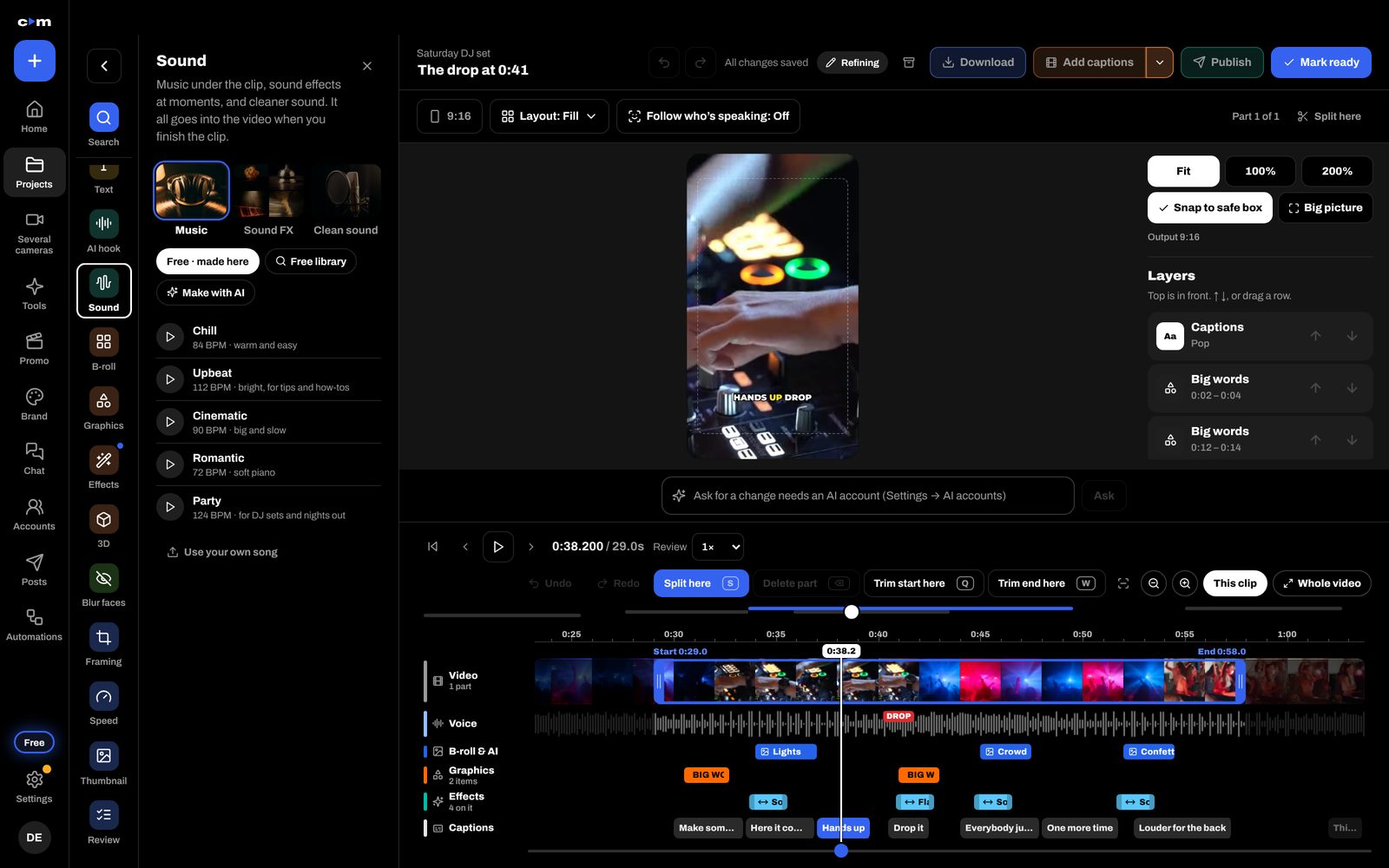
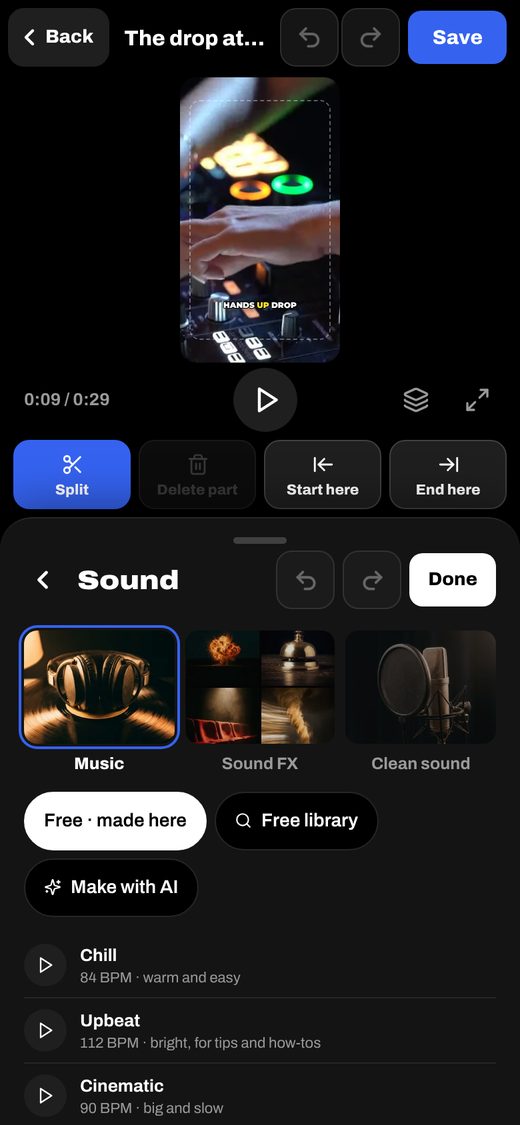
Sound Music under the clip, sound effects on the moments, and cleaner sound.

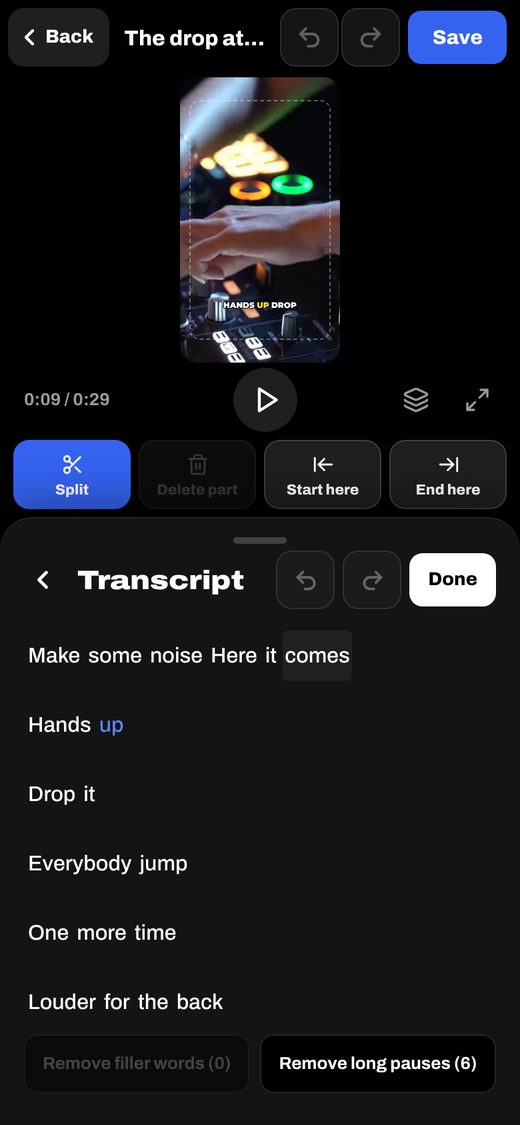
Transcript Cut the clip by deleting words from what was said.
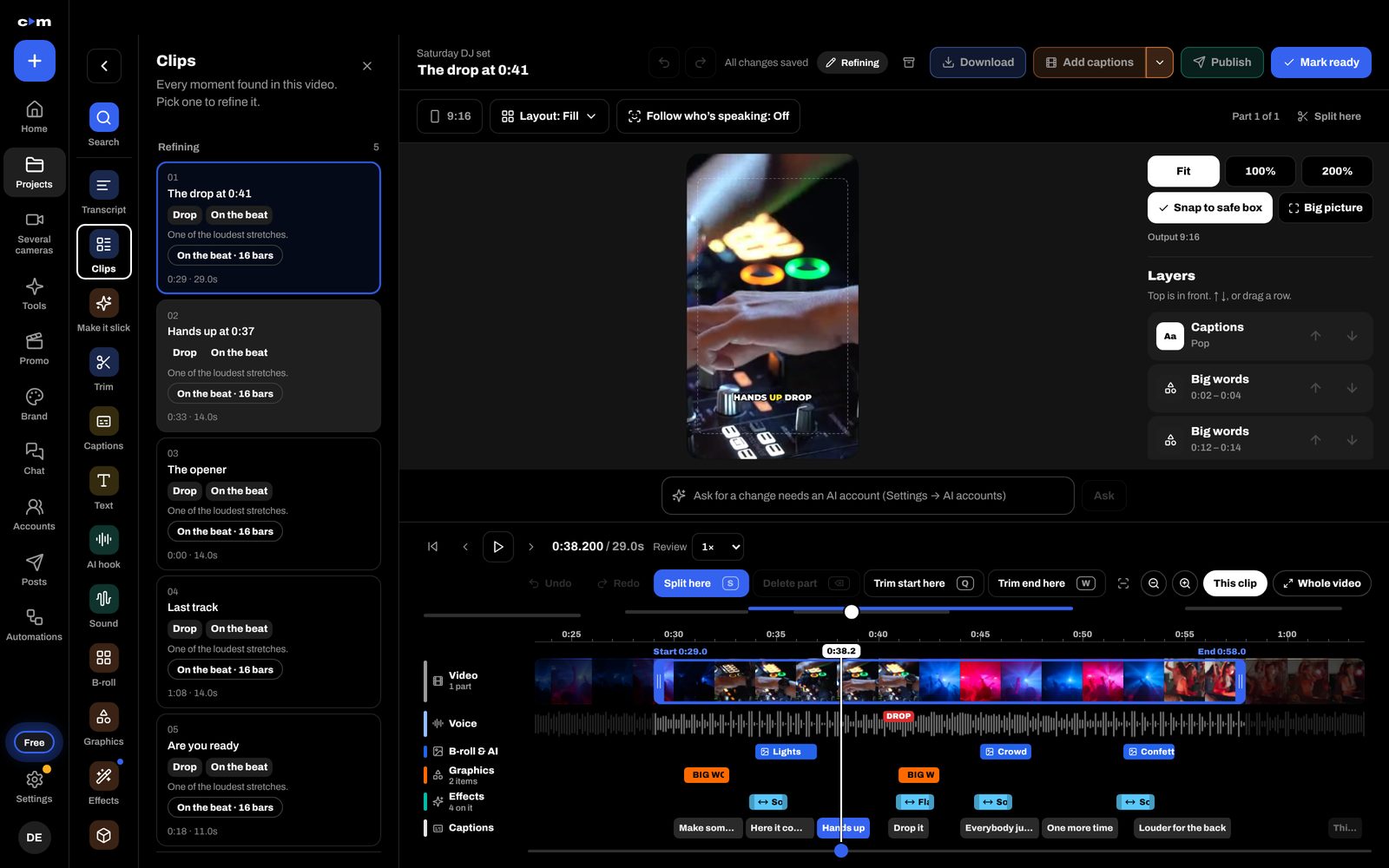
The Clipmedia editor on a computer with Clips openThe Clipmedia editor on a computer with Captions openThe Clipmedia editor on a computer with Make it slick openThe Clipmedia editor on a computer with B-roll openThe Clipmedia editor on a computer with Graphics openThe Clipmedia editor on a computer with Effects openThe Clipmedia editor on a computer with AI hook openThe Clipmedia editor on a computer with Framing openThe Clipmedia editor on a computer with Sound openThe Clipmedia editor on a computer with Transcript open
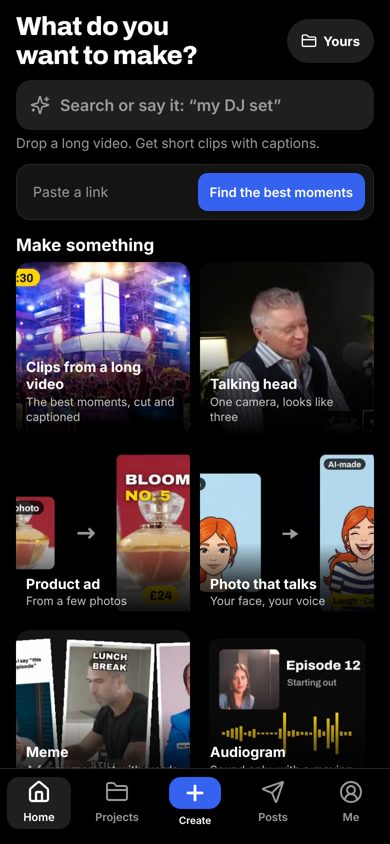
The Clipmedia editor on a phone with Clips openThe Clipmedia editor on a phone with Captions openThe Clipmedia editor on a phone with Make it slick openThe Clipmedia editor on a phone with B-roll openThe Clipmedia editor on a phone with Graphics openThe Clipmedia editor on a phone with Effects openThe Clipmedia editor on a phone with AI hook openThe Clipmedia editor on a phone with Framing openThe Clipmedia editor on a phone with Sound openThe Clipmedia editor on a phone with Transcript open

Also in the editor

  • A timeline with lanesVideo, sound, B-roll, graphics, effects and captions, each on its own row.
  • Split and trimSplit, delete a part, trim the start or end. Each has a key.
  • Ask for a changeType “bigger captions, cut the first 3 seconds”. About $0.01 each time.
  • Follow who’s speakingThe picture moves to whoever is talking.
  • LayersCaptions, graphics and stickers in front or behind.
  • Several camerasPhones lined up by sound, cut between on the beat.
  • Blur facesHide people, number plates and screens all the way through.
  • SpeedSlow a clip down or speed it up.
  • 3D scenes3D scenes with a moving camera, made on your computer.
  • ThumbnailThe cover picture for each clip.
  • Your brand kitYour logo, colours and fonts on every clip.
  • ReviewA last check of the clip before it goes out.
  • PublishPost to TikTok, Reels, Shorts and more, or download.
  • Undo, redo, savedEvery change is saved as you go.

Watch it find the moments.

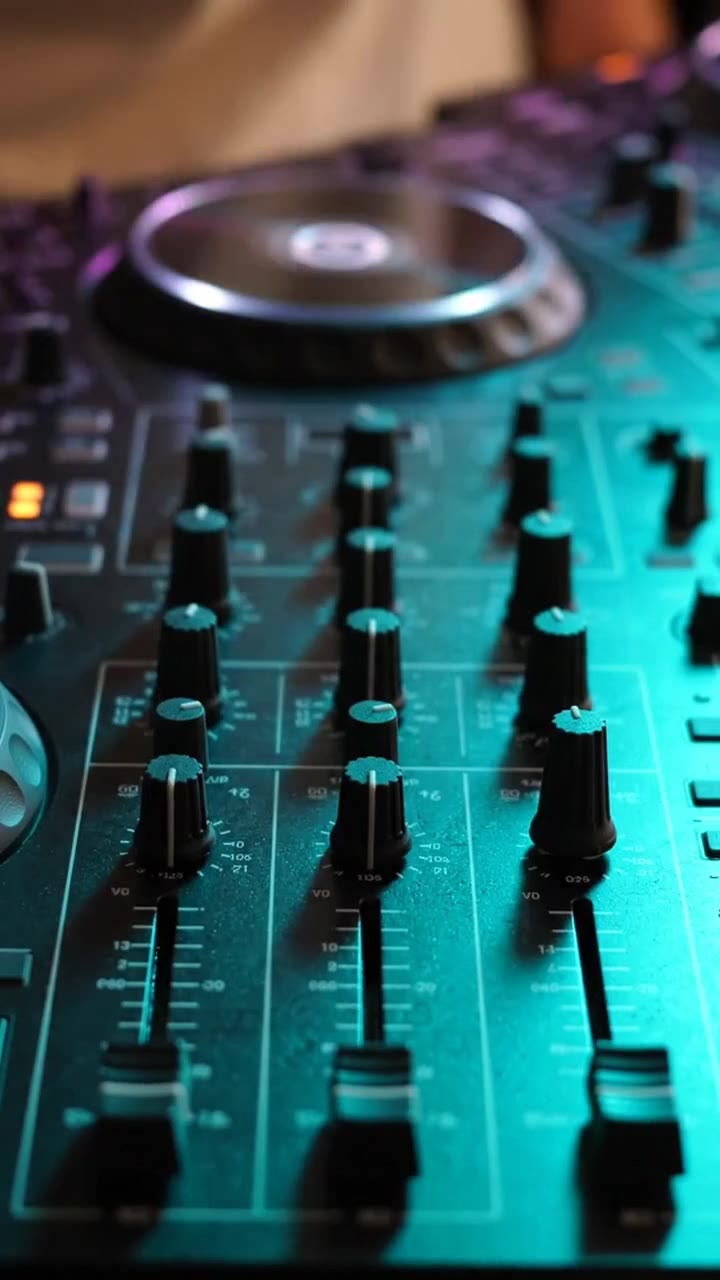
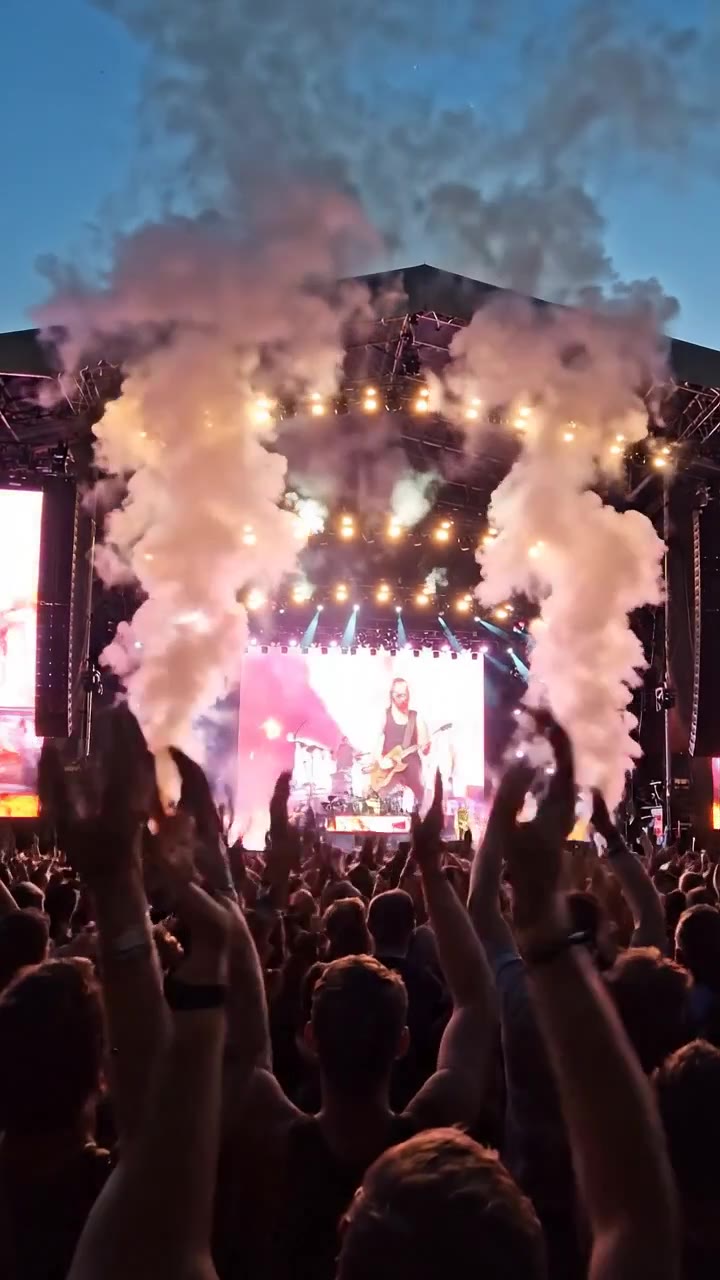
A 2-hour DJ set goes in. Clipmedia listens for the big moments, then cuts each one into a tall short with captions.


Made for real creators.

Every way to reuse one recording. From the best moment to your next short.

  • Podcasts
  • DJ sets
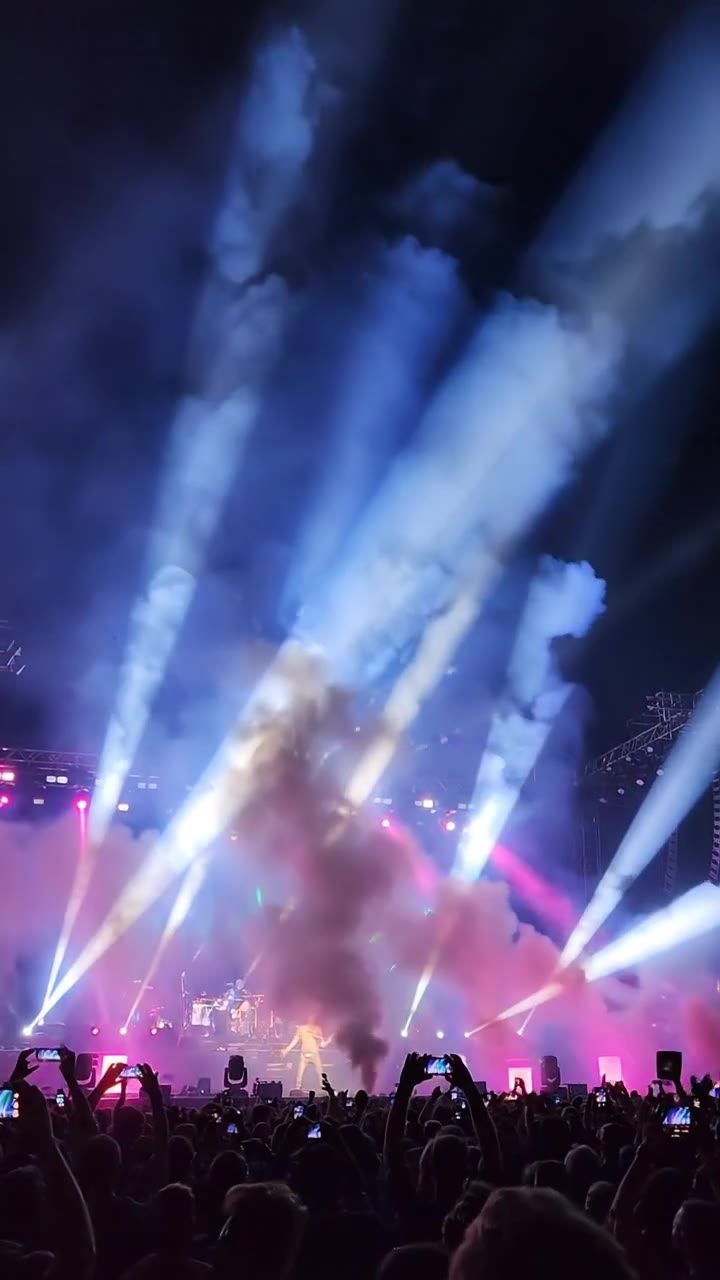
  • Live music
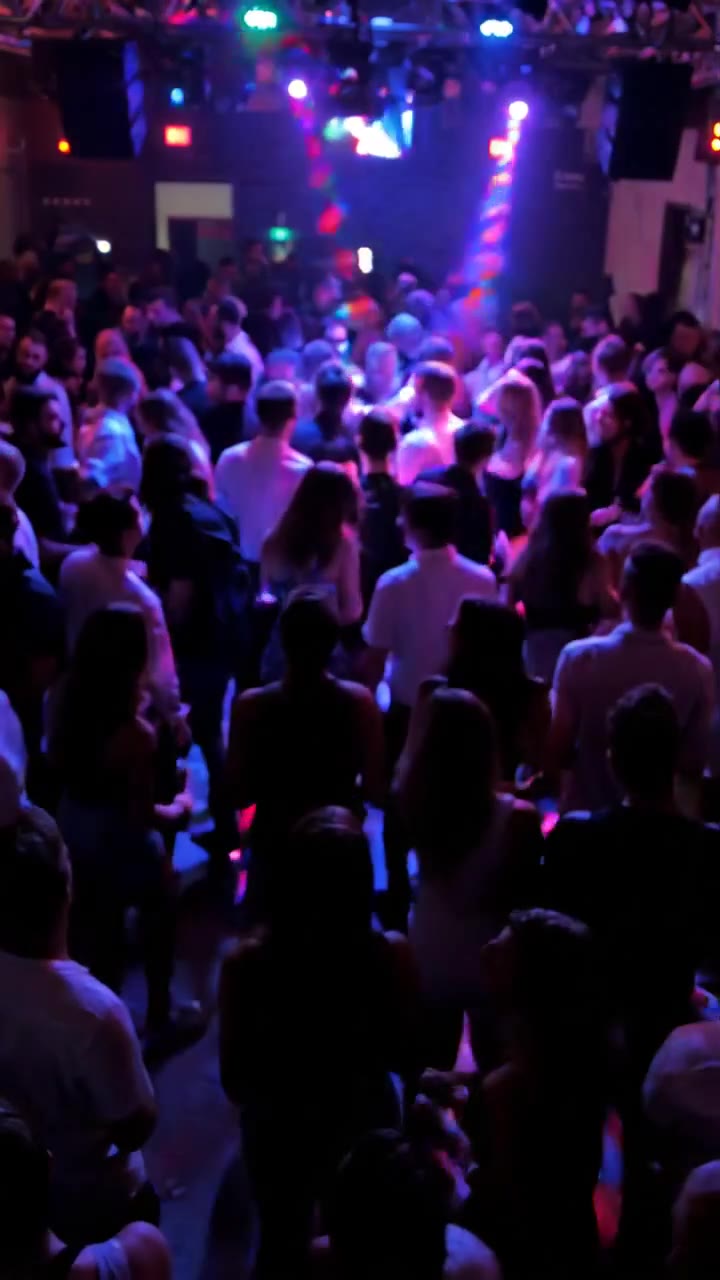
  • Nights out
  • Weddings

And a dozen more tools

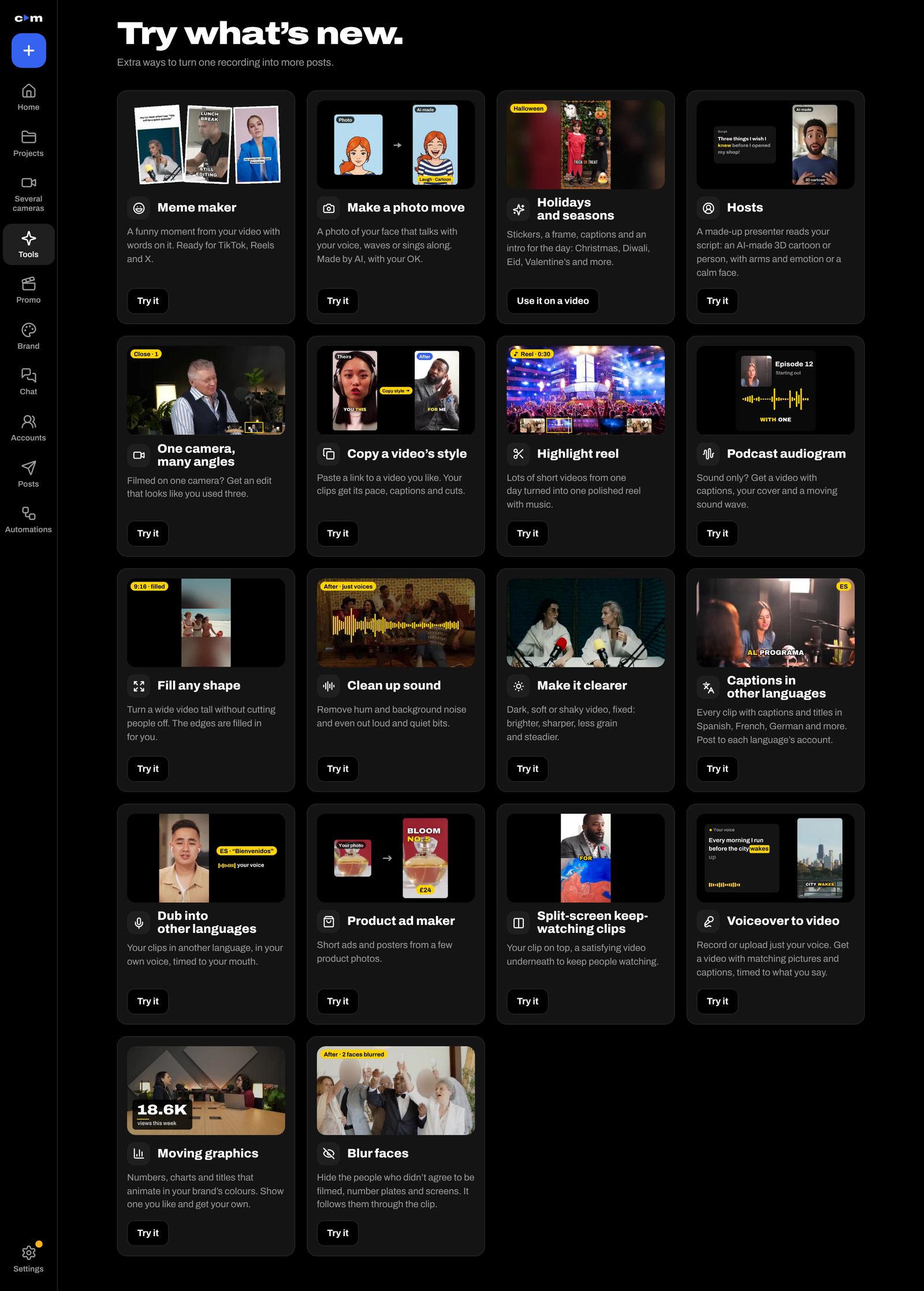
One camera, many anglesLooks like you used three cameras.
Captions in other languagesSpanish, French, German and more.
Dub into other languagesYour own voice, timed to your mouth.
Split-screen keep-watchingSomething satisfying underneath.
Product ad makerShort ads from a few product photos.
Moving graphicsNumbers and titles that animate in.
Copy a video’s styleIts pace, captions and cuts, on your clips.
Highlight reelA day of short videos, one reel with music.
Podcast audiogramSound only? Captions, cover and a moving wave.
Fill any shapeWide to tall without cutting people off.
Clean up soundLess hum and background noise.
Voiceover to videoYour voice, with matching pictures and captions.

Try it right here.

Each card works like the tool in the app. Tap the buttons.

Captions that pop

Word by word, in the style you pick.

4 styles

In other languages

One clip, captioned for everyone.

EN
ES
JA

Clean it up

Ums, ahs and long pauses, gone.

So um, we were thinking the set like, needs a bigger finish. uh… Right now it just sort of stops.

6 cuts · 4.2 s saved
Before0:32
After0:32

Filmed on three phones? It edits like a crew did.

Lined up by sound, cut on the beat.

Multi-camera
A · Booth
B · Crowd
C · Decks
Your edit · live

Meme maker

Type yours. Pick a picture.

Me after 12 clips
before lunch

Your brand kit

Set it once. Every clip looks like you.

Logo
DJ
your-logo.pngAdded to every clip
Colour
Caption font
DJ
Vinyl only tonight

Best moments

Scored for you. Post the top ones.

The drop0:41:12 · 0:28
96
Hands up1:07:55 · 0:19
88
Last track1:52:30 · 0:34
81
Bass check0:12:04 · 0:15
64
Post the top 3

Plan the week

Every clip gets a day, a time and its apps.

Mon
9:00TikTok · Reels
Tue
18:30Shorts
WedToday
12:00TikTok
20:00Reels
Thu
Fri
19:00TikTok · Shorts
Sat
14:00Reels
Sun

Three steps. That's it.

  1. 2:14:08

    Drop it in

    A file, a link, or several cameras from the same night. Nothing gets uploaded.

  2. Clips and captions, made

    It finds the best moments and adds captions that pop. Change the style, language or length.

  3. Post or plan

    Save to your phone, or schedule the week. Titles written in your voice.

Looks this easy. On every screen.

The same Clipmedia on your computer and your phone. Make clips at your desk, post them from anywhere.
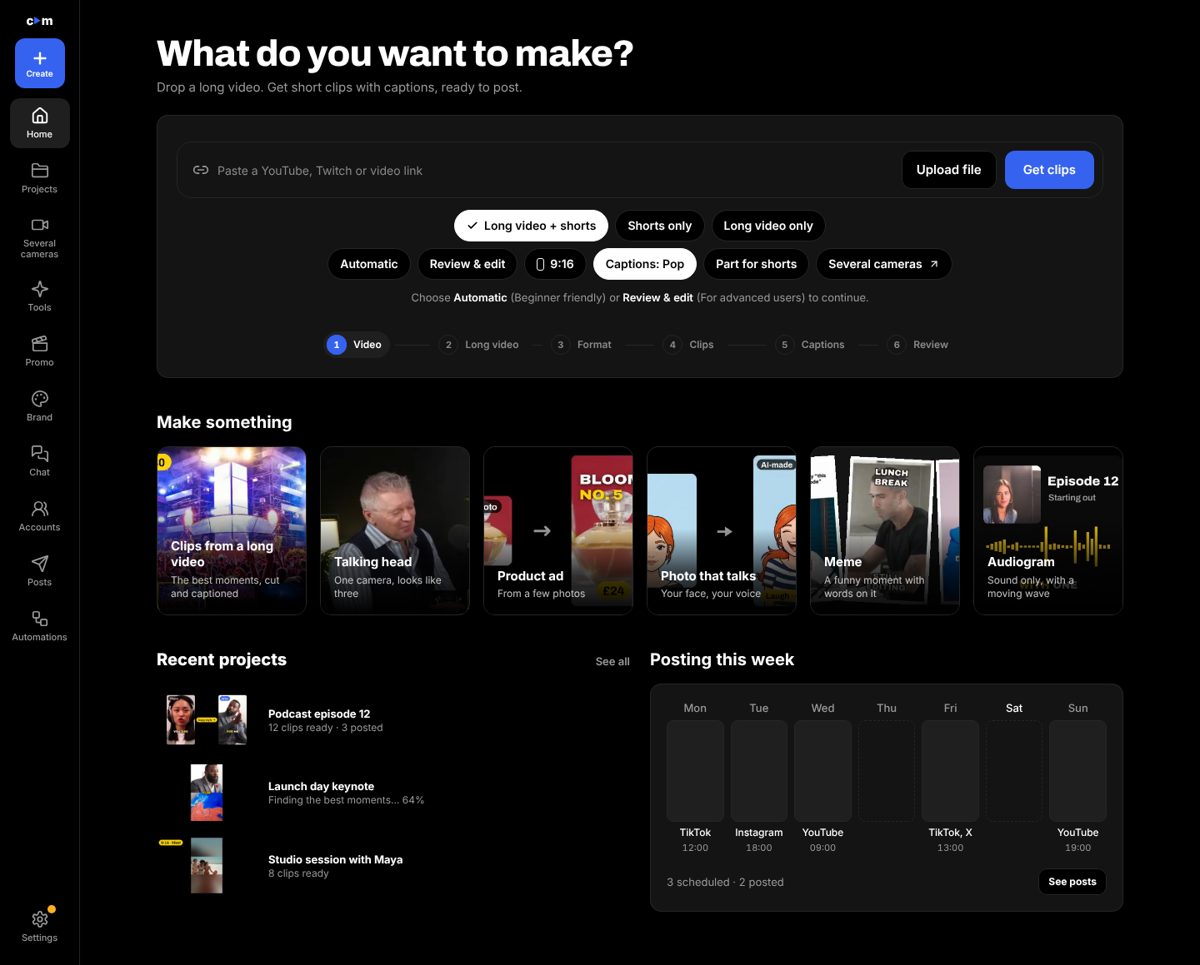
Clipmedia’s Home: paste a link, pick what to make, see this week’s posts
The editor: the clips it found, the 9:16 preview, layers and the timeline
The Tools page: meme maker, photo move, hosts, highlight reel and more
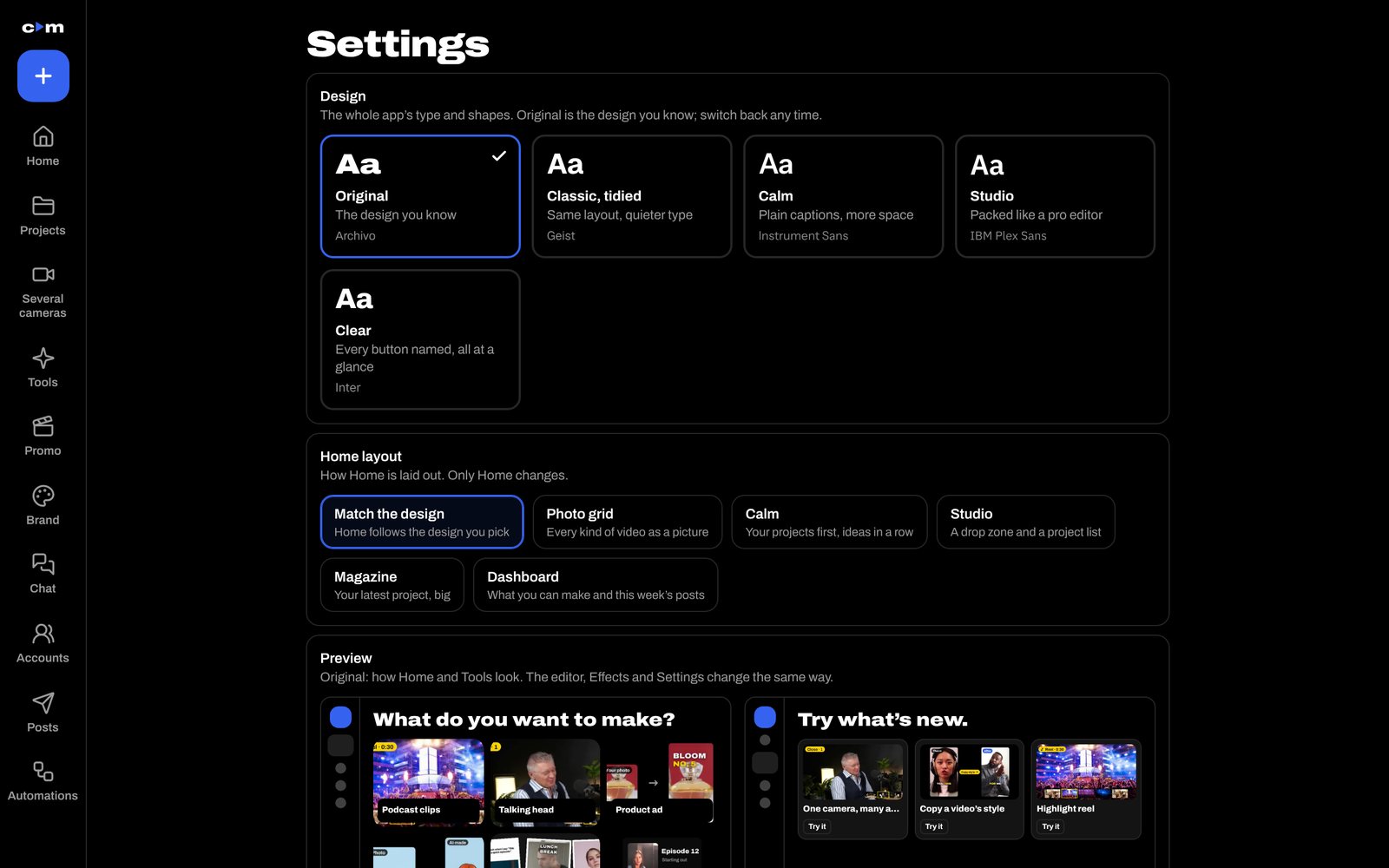
Settings: pick the app’s design and how Home is laid out
Clipmedia on a phone

More clips. More reach. More you.

Filmed on three phones? It edits like a crew did.

  • SyncLines up angles by sound. Cuts on the beat.
  • BrandSet it once. Every clip looks like you.
  • PlanA week of posts, ready to go.

Pay for what you use.

You bring your own AI key and see the cost before anything runs. Nothing is uploaded to us.

ClipmediaOpusClip Pro
PriceComing soon$29 a month for 300 minutes of video
AI costsPaid to OpenRouter directly, shown before each runIncluded in credits
Where your video goesStays on your computerUploaded to their servers
Processing timeShown after every run“Typically 20–40 minutes”

OpusClip figures from opus.pro/pricing and their help centre, checked Sep 2026.

Stop letting great moments sit on your phone.

Try it on your next recording.

Free to start. Your first clips in a few minutes.

Coming soonMac App Store
Coming soonMicrosoft Store
Coming soonGoogle Play

Or run it on your own server with Docker.